UX Case Study
Buddy
A study companion that helps anxious students take real breaks with a character that grows when they do.
01 — Overview
Studying harder isn’t the problem. Never stopping is.
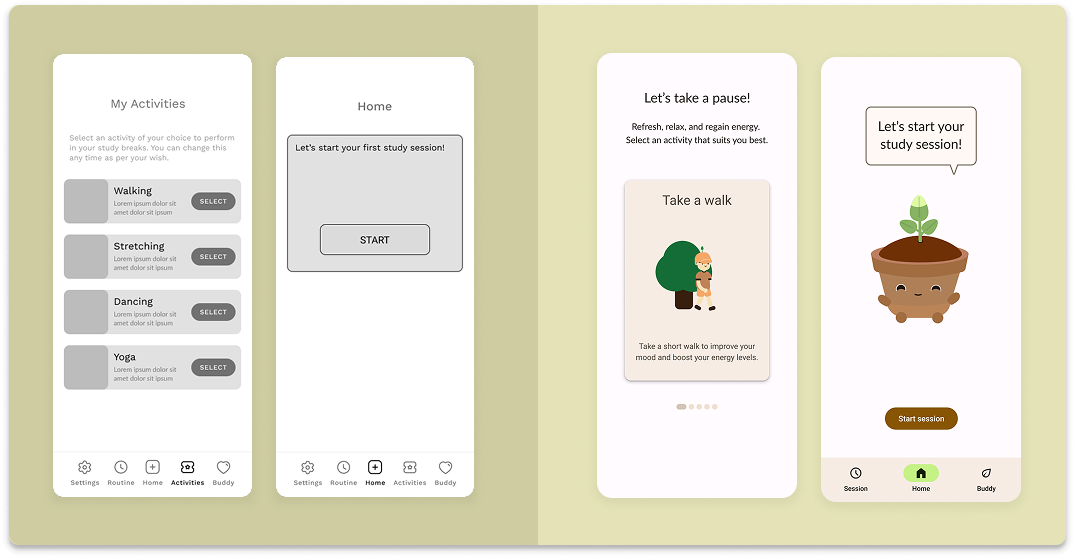
Buddy is a concept app that helps students study in healthy stretches and actually rest between them. Instead of nagging, it uses a friendly character and light AR to make breaks feel like progress.
02 — Research
Listening before designing.
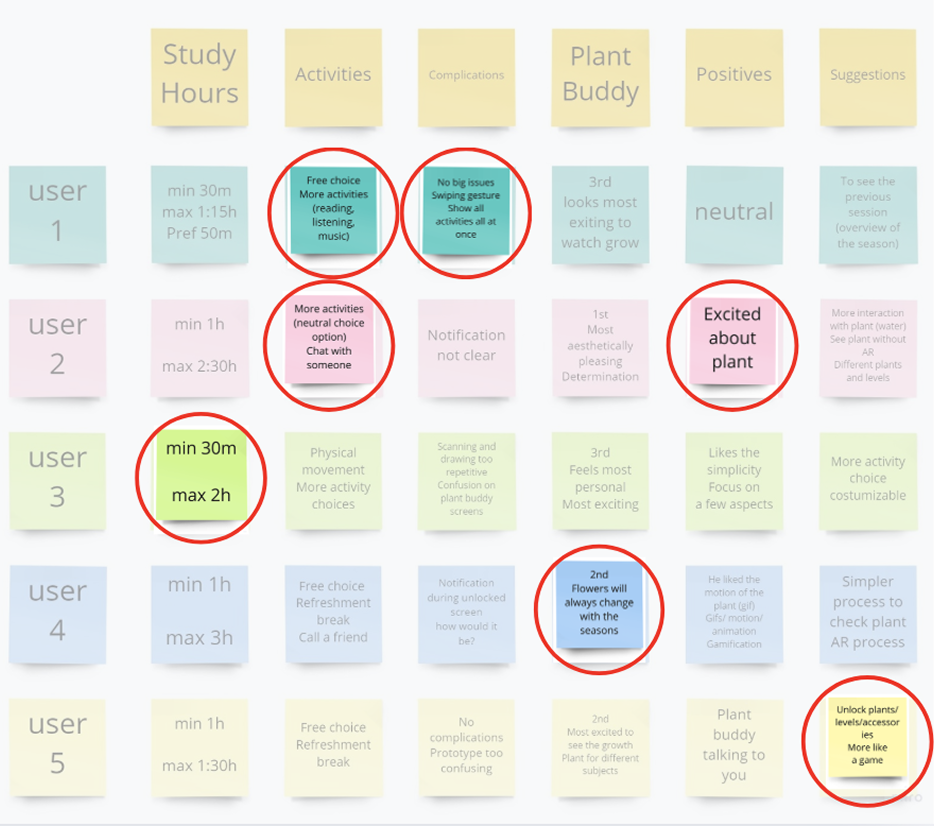
We asked students how they study, when they stop, and what makes a break feel earned rather than lazy. Clustering those notes into an affinity map surfaced one theme stronger than the rest: gamification. Students didn’t want another timer they wanted something to show for the pause.
03 — Key insight
Breaks have a sweet spot.
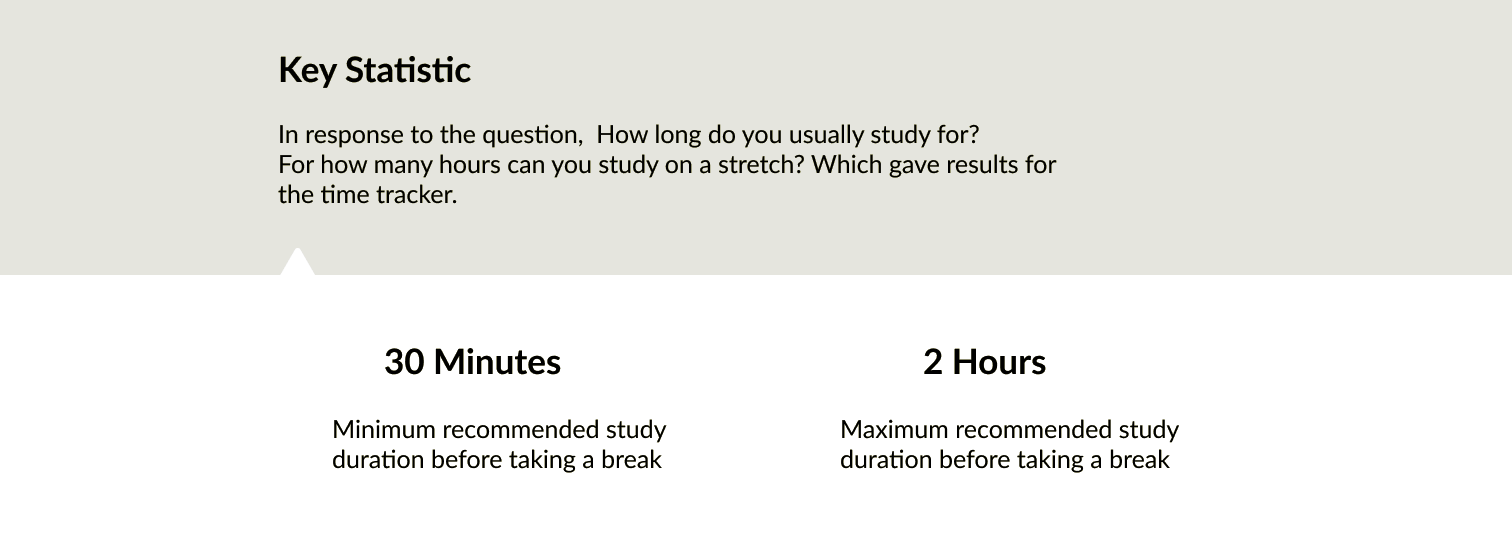
We also asked students how long they study in one stretch. The answers revealed that student normally take between 30 minutes and 2 hours until they need a break. That range became the backbone of Buddy’s time tracker. It nudges a pause before fatigue sets in, not after.
04 — Persona
Meet Kerstin, the anxious perfectionist.
Those findings converged on one person. Kerstin is the student Buddy is built for: driven, hard on herself, and quick to skip breaks when exams loom. She wants to do well, but pushing without pause leaves her stressed and burnt out.
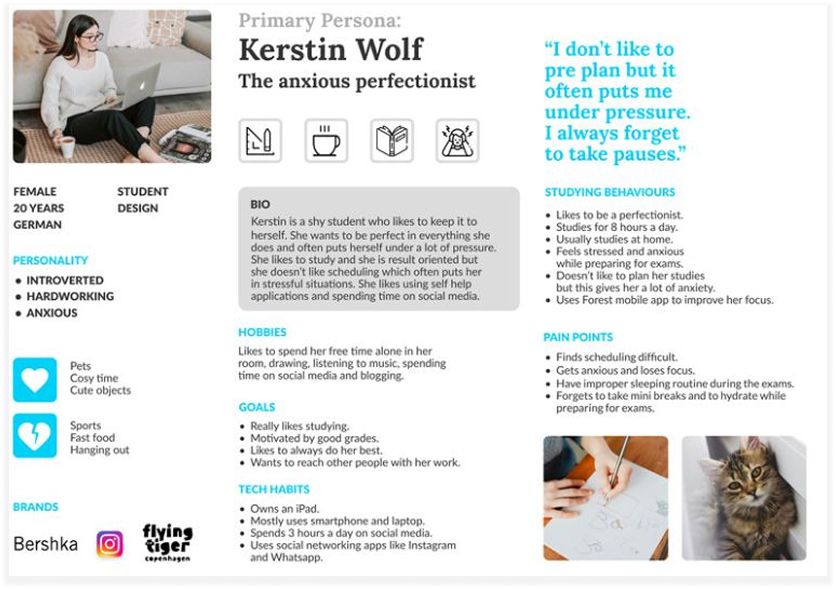
I don’t preplan, so it piles up and I always forget to take a break.
05 — Challenges
Four problems worth designing around.
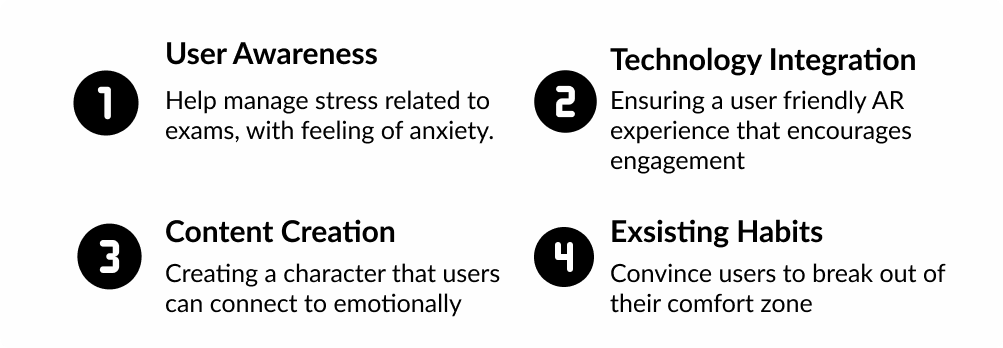
The brief had real tension in it: help students manage exam related anxiety, make an AR experience that’s genuinely friendly to use, create a character people connect with emotionally, and hardest of all convince users to break the habit of pushing through without rest.
06 — Technical components
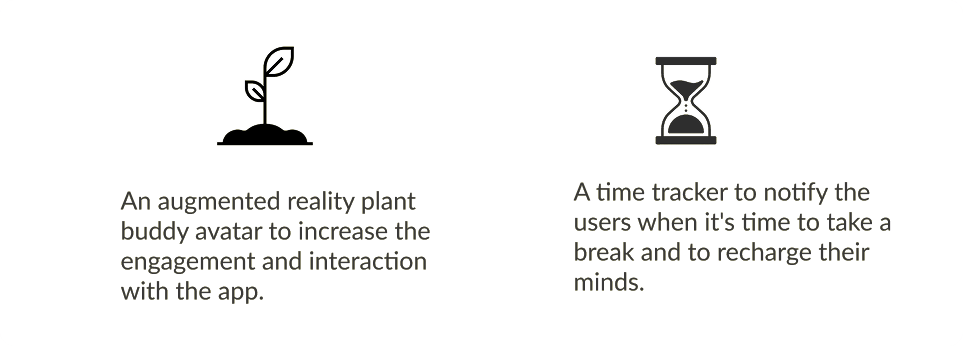
Two systems the whole experience leans on.
One of our biggest challenges was integrating the two main technical components, as they were essential to shaping the overall user experience. We also had to ensure that users could trust the app, enabling them to build a consistent routine and structure around it
07 — The design
Make resting feel like growing.
Through a series of simple, illustrated instructions, users are guided through the app's core concept and main functions. The onboarding process proposes a way to create a study routine, choosing stress relieving activities, and having a personal growth chart through an AR plant.
08 — Testing
What students actually felt.
Participants explored the BUDdy app and provided insights into their overall experience, including their reactions to the AR feature characters this feedback helped us identify strengths and areas for improvement.
-
15
Uni students
-
Face to face / online
-
5
Days
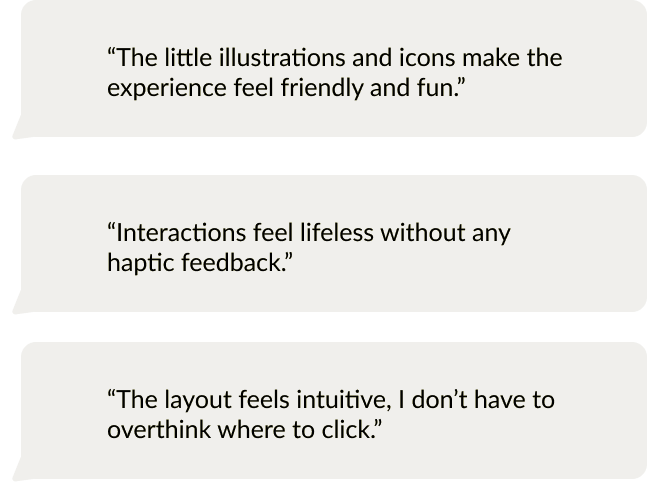
“Interactions feel lifeless without any haptic feedback.”
09 — Takeaway
Through this project I learned a lot about the UX process. I really enjoyed researching and getting the chance to interview people and create an experience based on real user feedback. Along with learning more in depth about the UX process, I also gained new experience managing a team and coworking with programmers. Also, since we were a small team with a limited skill set I learned new skills as we needed. Such as 3D modeling, but our small skillset prevented us from creating more of a unique experience. I wish we could’ve made a better AR experience.